

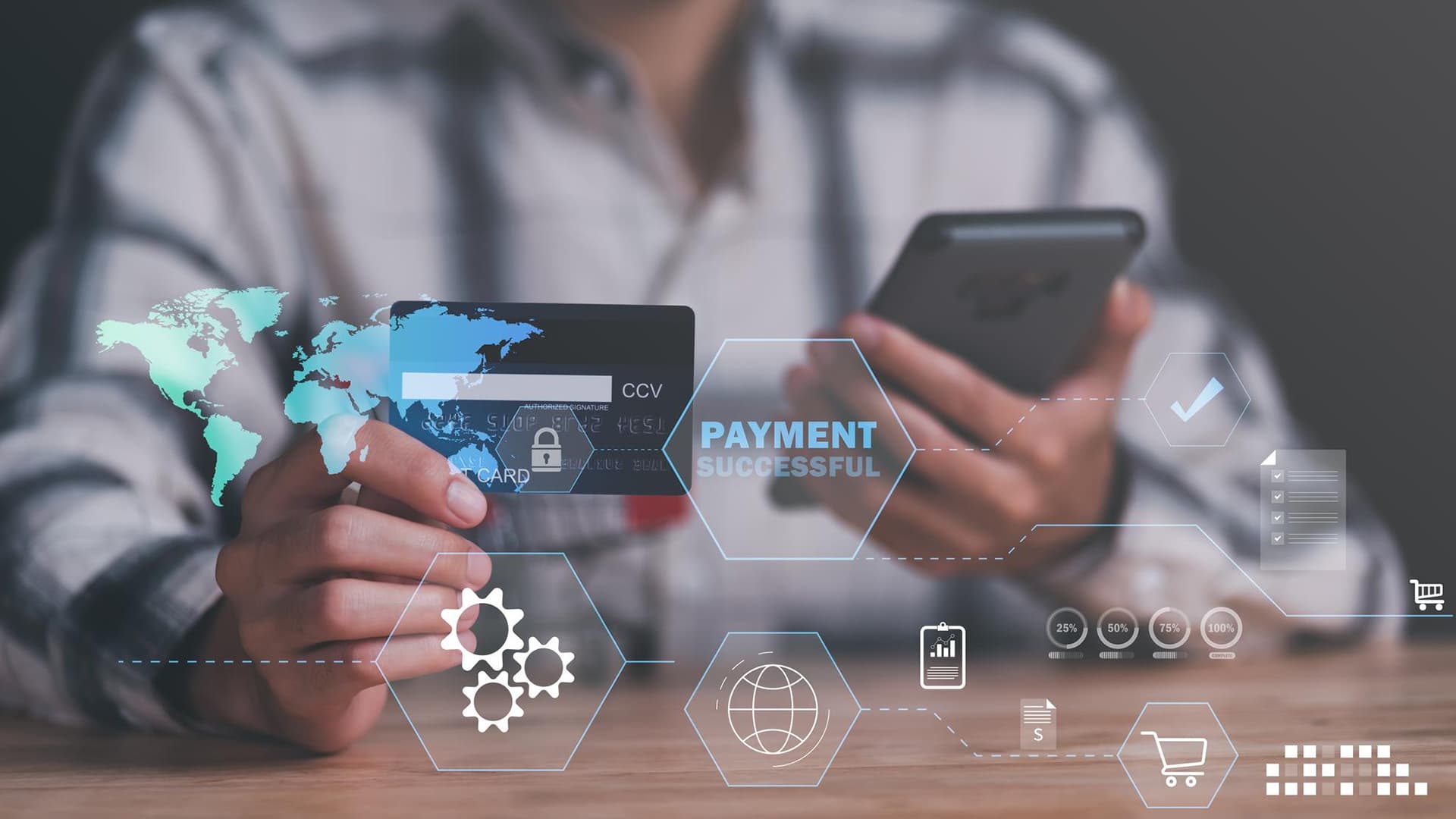
A customer is ready to buy. They add the product to cart, fill in their details, and reach the payment page.
Then the checkout feels slow. The payment method they prefer is missing. The error message is unclear. The page looks different from the rest of the website.
The customer leaves.
This is why payment gateway integration is not just a technical task. It directly affects sales, customer trust, refunds, reports, failed payments, and support workload.
Adding online payments sounds simple from the outside. In reality, the business needs to think about security, payment methods, checkout design, bank approvals, fraud control, invoices, disputes, and finance reporting before launch.
A good payment setup does more than process money. It helps customers pay with confidence and helps teams manage payments without confusion.
What Is Payment Gateway Integration?
Simple Meaning of a Payment Gateway
A payment gateway is a secure system that helps businesses accept online payments.
It passes payment details between the customer, the business, the payment processor, and the bank.
In simple words, it checks whether the payment can be approved and then sends the result back to the website, app, or portal.
What Payment Gateway Integration Actually Adds to a Business
Payment gateway integration adds the payment system to a digital platform.
It can support:
- Online checkout
- Card payments
- Wallet payments
- Payment confirmation
- Failed payment handling
- Refund support
- Transaction records
This allows a business to collect payments without handling everything manually.
Why It Is More Than a Checkout Button
The payment button is only what the customer sees.
Behind that button, the system must manage authorization, authentication, payment status, receipts, errors, refunds, and reports.
If this setup is weak, customers may face failed payments, duplicate charges, or unclear confirmations.
Why Businesses Need to Plan Online Payments Carefully
Payment Experience Affects Sales
A poor payment experience can make customers leave at the final step.
Too many fields, slow loading, limited payment options, or confusing errors can reduce completed orders.
The offer may be strong, but the checkout can still lose the sale.
Payment Errors Create Support Problems
Payment issues often turn into support tickets.
Customers may ask:
- Was I charged?
- Did my order go through?
- Why did my card fail?
- When will I get my refund?
Clear payment logic reduces these problems.
Payment Security Impacts Trust
Customers need to feel safe when paying online.
A secure payment flow, familiar payment methods, clear confirmation pages, and trusted checkout design help build confidence.
If the payment page looks suspicious, users may stop before completing the transaction.
Payment Data Must Be Handled Correctly
Payment data cannot be treated casually.
Businesses need to think about secure APIs, tokenization, compliance, user access, and data storage.
This should be planned before development starts, not after launch.
Main Types of Payment Gateway Integration
Hosted Payment Page
A hosted payment page sends the customer to the payment provider’s secure checkout page.
This is often easier to set up. It also reduces how much sensitive payment data the business handles directly.
It can work well for small businesses and simple payment flows.
Embedded Checkout
Embedded checkout keeps the payment form inside the website or app.
This creates a smoother branded experience because the customer does not leave the platform.
However, it usually needs stronger planning around design, security, and testing.
API-Based Custom Integration
API-based payment gateway integration gives developers more control.
They can build a custom payment flow for complex business needs. This may include subscriptions, advanced checkout rules, custom invoices, split payments, or account-based billing.
It is more flexible, but it also needs careful development and testing.
Mobile Payment Integration
Mobile payment integration is used for apps and mobile-first platforms.
It can support card payments, digital wallets, Apple Pay, Google Pay, and in-app payment flows.
The experience should be fast, clear, and easy to complete on small screens.
Subscription Payment Integration
Subscription payment integration is used for recurring billing.
It is useful for SaaS platforms, membership sites, retainers, monthly services, and digital products.
It should support renewals, failed payment retries, cancellations, upgrades, and downgrades.
Features Businesses Should Look for in a Payment Gateway
Multiple Payment Methods
Customers want payment choices.
A good gateway may support:
- Credit cards
- Debit cards
- Digital wallets
- Bank transfers
- Local payment methods
- Buy now, pay later options
The right options depend on the business model and target market.
Multi-Currency Support
Businesses that sell internationally need to think about currency support.
The gateway should support the currencies customers use. It should also make settlement, conversion, and reporting clear for the finance team.
Refund and Partial Refund Support
Refunds should be easy to process.
Some businesses need full refunds. Others need partial refunds for returns, cancellations, service changes, or order adjustments.
This should be part of the payment setup from the start.
Payment Status Tracking
Payment status should be clear inside the admin panel.
Common statuses may include:
- Pending
- Successful
- Failed
- Refunded
- Disputed
- Canceled
This helps support and finance teams answer customer questions quickly.
Recurring Billing Tools
Recurring billing tools are important for subscription businesses.
They help manage renewals, failed payments, plan changes, invoice generation, cancellations, and payment reminders.
Fraud Detection Tools
Fraud tools help businesses reduce risky transactions.
These may include risk scoring, card verification, suspicious payment alerts, location checks, and fraud filters.
Security and Compliance Factors Before Integration
PCI DSS Compliance
Businesses that accept card payments need to understand PCI DSS requirements.
The exact responsibility depends on how the payment flow is set up. A hosted checkout may reduce direct handling of card data, while custom payment forms may require more careful security planning.
Tokenization
Tokenization replaces sensitive card details with a secure token.
This helps businesses charge returning customers or manage subscriptions without storing raw card information.
It lowers risk and makes payment handling safer.
3D Secure Authentication
3D Secure adds an extra verification step for some online card payments.
Customers may need to confirm the payment through their bank or card provider.
This can reduce fraud, but the flow should still feel clear to the user.
SSL and Secure Checkout Pages
Checkout pages must use secure HTTPS connections.
The payment page should also feel consistent with the rest of the website. A sudden design change can make customers feel unsure.
Access Control for Admin Users
Not every employee should access payment settings or transaction records.
Admins should control who can view payments, issue refunds, change settings, export reports, or manage customer billing data.
Checkout Experience Features That Improve Conversions
Clear Payment Form Design
The payment form should be simple.
It should ask only for the details needed to complete the payment.
Long forms create friction and increase the chance of mistakes.
Guest Checkout Option
For ecommerce stores, forcing account creation can slow users down.
Guest checkout can help customers complete purchases faster, especially first-time buyers.
Mobile-Friendly Payment Flow
Many customers pay from phones.
The payment form, buttons, wallet options, error messages, and confirmation screen should work smoothly on mobile devices.
Clear Error Messages
Payment errors should be easy to understand.
Instead of a vague message, the system should explain the issue clearly. For example, it can tell the customer if the card was declined, the billing details are wrong, or bank verification is needed.
Fast Confirmation Screen
After payment, the customer should see a clear success message.
They should also receive a confirmation email, receipt, invoice, or order summary.
This reduces confusion and support requests.
Technical Requirements Developers Should Plan
API Documentation and SDK Support
Developers should review the gateway’s API documentation before choosing it.
Good documentation, SDKs, plugins, sandbox tools, and developer support can make the integration smoother.
Webhooks for Payment Updates
Webhooks send payment updates back to the website, app, or portal.
They are important because payment status can change after the customer leaves the checkout page.
For example, a payment may succeed, fail, get refunded, or face a dispute later.
Sandbox Testing Environment
A sandbox lets developers test payments before going live.
They should test successful payments, failed payments, refunds, subscriptions, webhooks, and error messages.
This helps prevent real customer issues after launch.
Order and Invoice Matching
Each payment should connect to the correct order, invoice, user account, subscription, or booking.
Without proper matching, finance teams may struggle with reconciliation. That’s what can be avoided by hiring The Creative Unit to seamlessly integrate payment gateways on the website.
Payment Gateway Integration for Different Business Models
Ecommerce Stores
Ecommerce stores need product checkout, cart payments, refunds, coupons, shipping logic, and abandoned checkout handling.
A smooth payment flow can directly affect sales.
SaaS Platforms
SaaS platforms need recurring billing, plan upgrades, downgrades, invoices, failed payment retries, and account access rules.
For SaaS, payment gateway integration must support the full customer lifecycle.
Service Businesses
Service businesses may need deposits, invoice payments, consultation fees, retainers, milestones, and partial payments.
The gateway should match how the service is sold.
Marketplaces
Marketplaces may need split payments, vendor payouts, commissions, refunds, and seller verification.
This type of integration is usually more complex than a simple checkout.
B2B Portals
B2B portals may need invoice payments, client-specific pricing, purchase order references, approval-based payments, and finance reports.
The payment flow should match internal business rules.
Booking Platforms
Booking platforms may need advance payments, cancellation rules, refund windows, rescheduling fees, and booking confirmation.
Payment timing matters because it connects directly to availability and scheduling.
Payment Gateway Costs Businesses Should Review
Transaction Fees
Most gateways charge a fee for each transaction.
This may include a percentage fee, a fixed fee, or both.
The cost can vary by provider, country, payment method, and card type.
Monthly or Platform Fees
Some providers charge monthly fees.
Others mainly charge per transaction.
Businesses should compare the full cost, not only the headline rate.
Chargeback Fees
A chargeback happens when a customer disputes a transaction.
Businesses may pay extra fees for chargebacks, even before the dispute is fully resolved.
Currency Conversion Fees
International payments may include currency conversion or cross-border fees.
These costs can affect profit margins if the business sells in multiple countries.
Refund Fee Policies
Some providers do not return processing fees when a refund is issued.
Businesses should check refund policies before choosing a gateway.
How to Choose the Right Payment Gateway
Match the Gateway With Your Business Model
The right gateway depends on how the business collects money.
An ecommerce store, SaaS platform, marketplace, service business, and B2B portal all need different payment features.
Check Supported Countries and Currencies
The gateway should support the countries where the business sells.
It should also support the currencies customers prefer and the settlement options the business needs.
Review Integration Compatibility
The gateway should work with the website, app, CRM, ERP, accounting software, ecommerce platform, or portal.
Compatibility saves development time and reduces future issues.
Compare Security and Fraud Tools
Businesses should review fraud detection, tokenization, 3D Secure, admin controls, and risk monitoring.
Security should be part of the decision, not a later concern.
Test the Checkout Experience
Before final selection, test the checkout flow.
Check how it works on desktop and mobile. Review the form layout, error messages, wallet options, redirect flow, and confirmation page.
Review Support Quality
Payment problems affect revenue directly.
That makes support quality important. Businesses should check how fast the provider responds when issues happen.
What to Prepare Before Development Starts
Payment Methods Needed
Decide which payment methods customers should see at checkout.
This may include cards, wallets, bank transfers, local methods, or recurring billing options.
Business and Bank Details
Most gateways require business verification.
Prepare business registration details, tax information, bank account details, owner information, and required documents.
Refund and Cancellation Rules
Define refund timelines, cancellation rules, partial payment policies, and dispute handling.
These rules should be clear before the payment system goes live.
Checkout Page Requirements
Decide what information customers must enter before payment.
Avoid asking for details that are not needed.
Invoice and Receipt Format
Plan how receipts, invoices, payment confirmations, and tax details should appear.
This is important for customer trust and finance records.
Admin Reporting Needs
Finance teams should define what reports they need.
This may include settlements, refunds, failed payments, taxes, subscription revenue, and customer payment history.
Testing Plan
A testing plan should cover successful payments, failed payments, refunds, webhooks, subscriptions, mobile checkout, and admin reports.
Testing reduces payment problems after launch.
The Final Word
A well-planned payment gateway integration is essential for delivering a smooth and secure online payment experience. Businesses should focus on simplicity, ensuring customers can complete transactions quickly without confusion. At the same time, strong security measures must be in place to build trust and protect sensitive data.
Beyond the initial transaction, it is important to consider refunds, subscriptions, reporting, and long-term scalability.
By aligning payment systems with both customer expectations and internal processes, businesses can reduce friction, improve conversions, and create a reliable foundation for growth in an increasingly digital marketplace.
Frequently Asked Questions
Can payment gateway integration support payment links without a full checkout page?
Yes. Many gateways support payment links that businesses can send through email, SMS, invoices, or chat. This is useful for service businesses, consultants, B2B orders, and custom quotes that do not need a full ecommerce checkout.
Should businesses allow customers to save cards for future payments?
Yes, if repeat payments are common. Saved cards make future purchases, renewals, subscriptions, and invoice payments faster. The card details should be tokenized through the payment gateway, not stored directly by the business.
What happens if a customer closes the browser after payment?
The payment can still be completed if the gateway processes it successfully. That is why webhooks are important. They update the website, app, or portal even if the customer leaves before reaching the confirmation page.
Can payment gateway integration handle deposits and final payments?
Yes. Businesses can set up deposits, balance payments, milestones, or partial payments. This is useful for service providers, booking platforms, custom product businesses, and agencies.
Should invoices and payment records sync with accounting software?
Yes. Syncing payment records with accounting software helps finance teams avoid manual entry, missed invoices, duplicate records, and reconciliation issues.
Can a payment gateway block high-risk transactions automatically?
Yes. Many payment gateways offer fraud rules that can block, review, or flag risky transactions based on card behavior, location, transaction value, failed attempts, or suspicious patterns.
What should businesses do if a payment is marked as pending?
A pending payment should not be treated as fully paid until the gateway confirms success. The order, booking, or service access should stay on hold until the final payment status is received.
Can payment gateway integration support tax calculation?
Yes, but it depends on the gateway and connected tools. Some setups support tax calculation directly, while others need integration with ecommerce, accounting, or tax software.